Everyone in the UNIX/GNU world constantly uses the cd command to navigate into folders through the terminal.
The cd command, also known as chdir, is a command implemented in command-line interfaces of various operating systems (Unix or any Unix-like system, DOS, Windows, OS/2 and AmigaOS).
On GNU systems (used by most Linux distros) it is a shell builtin, meaning it’s a bit more complicated to create a patch.
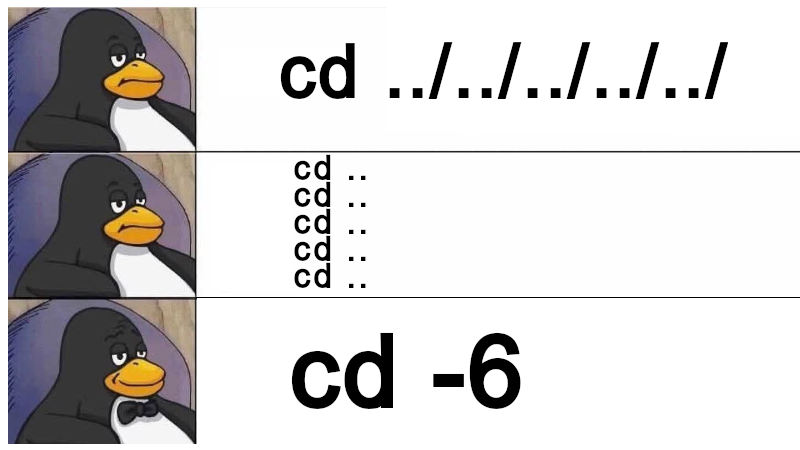
The cd command is very useful, however, one of the most annoying things is when you navigate into many folders and want to go back an exact number of steps, requiring commands like:
cd ../../../../../../
# Or
cd ..
cd ..
cd ..
cd ..
cd ..
cd ..
In both cases above, you need to go back 6 times.
But we can create a Bash function that reduces the amount of typing, making it faster and like a boss to go back to the 6th folder without much difficulty, like this: cd -6. Just add this function below to the end of your ~/.bashrc:
cd() {
    if [[ "$1" =~ ^-[0-9]+$ ]]; then
        local n=${1#-}
        local path=""
        for ((i=0; i<n; i++)); do
            path+="../"
        done
        builtin cd "$path"
    else
        builtin cd "$@"
    fi
}
Then reload your ~/.bashrc with the command: exec $SHELL or source ~/.bashrc and then just test it:
cd -6In other words, use -(dash/minus) followed by the number of folders you want to go back, examples: cd -8, cd -7, cd -11,…
Remember that to go to your home folder, simply run:
cd(without arguments) and to return to where you were, use:cd -without specifying any number!
Simple and practical, isn’t it?!
gnu bash shell commands terminal