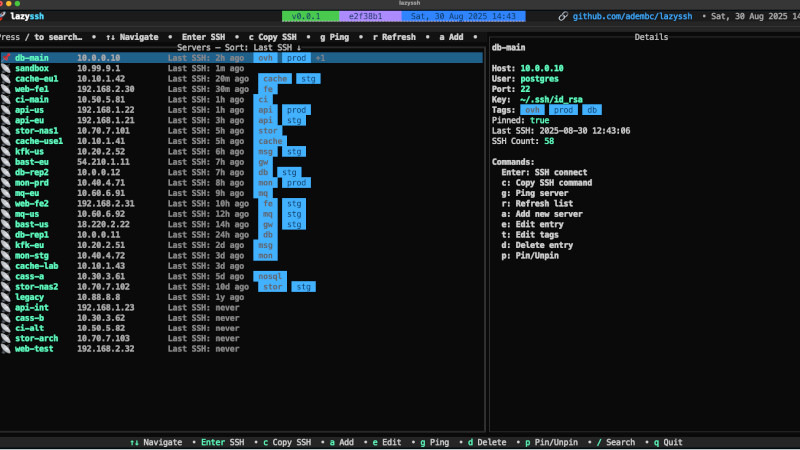
If you manage multiple servers via SSH, you should check out LazySSH.
It’s a terminal-based (TUI) SSH manager, inspired by tools like lazydocker and k9s, that makes it easy to navigate and manage entries in your ~/.ssh/config file.
- Search by alias, IP, or tags
- Pin favorite servers
- Add, edit, and remove hosts directly from the interface
- Ping to check availability
- SSH connection with a single Enter
- Sorting and filtering options
- Preserves your
~/.ssh/configby creating automatic backups before making changes
Installation
Homebrew (macOS and Linux)
brew install lazysshBuilding with Go (Linux, macOS, and Windows)
If you already have Go installed:
git clone https://github.com/adembc/lazyssh.git
cd lazyssh
go build -o lazyssh ./cmd
Then, optionally, move the binary to a directory in your PATH:
sudo mv lazyssh /usr/local/bin/Or install it directly using:
go install github.com/Adembc/lazyssh/cmd@latestUsage
After installation, just run:
lazysshThe program automatically reads the file:
~/.ssh/configSo all you need is to have your SSH hosts already configured as usual to start using it.
For more information, visit: https://github.com/adembc/lazyssh